Cosmic Genesis!
A downloadable Universe Simulation for Windows
## How to run
1. Download and unzip the file.
2. Double-click CosmicGenesis.exe.
3. If Windows shows a warning, click "More info" and then "Run anyway". and also theres
# COSMIC GENESIS 3D
**Watch a universe be born, live, and die.**
Cosmic Genesis is a relaxing 3D universe simulator. You are the observer: you can pause time, slow it down, or speed it up to billions of years per second, and watch everything unfold.
## What happens
- **A Big Bang** erupts, and the cosmic web forms from thousands of galaxies.
- **Stars are born** in nebulae, grow into red giants, and die as white dwarfs, neutron stars, or black holes.
- **Planets form** around them: rocky worlds, gas giants, moons, and debris belts from collisions.
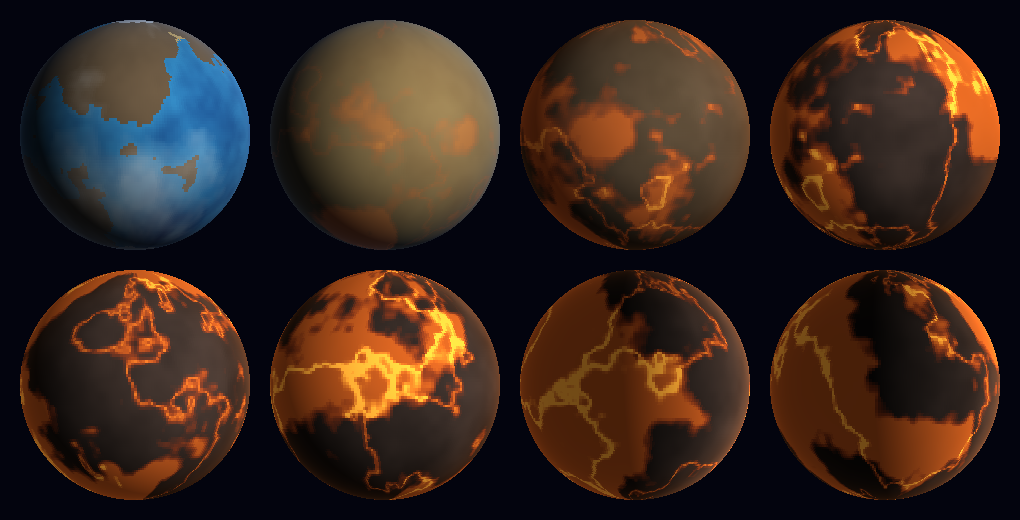
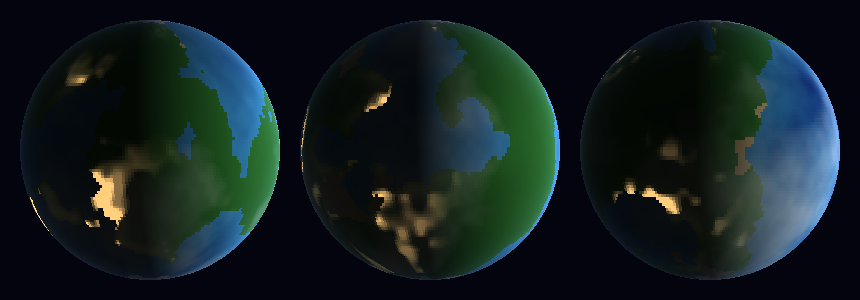
- **Life is rare.** A few planets grow living biospheres that last about two billion years, then slowly fade as the green turns to desert. Some even develop civilizations whose city lights glow on the night side.
- **Everything dies.** Your universe ends in either a Big Crunch or a Big Freeze (heat death).
## Features
- Fly through the universe in 3D: the cosmic web, individual galaxies, and star systems
- Procedurally generated planets with drifting continents, oceans, deserts, ice caps, clouds, and banded gas giants
- Red dwarfs, yellow dwarfs, and giant stars, each with its own habitable zone
- Planets pull on each other with real gravity at slow speeds, and can collide, merge, or shatter
- Sandbox mode: build your own star system with rocky planets, gas giants, moons, and different stars
- Terraforming, which is deliberately very hard
- Name your galaxies, stars, and planets
- Save any moment in time as a code you can copy, share, and paste back in later
- Speed control from real time up to 5 billion years per second
## Controls
**Everywhere**
- Right-drag or arrow keys: rotate | Mouse wheel: zoom | WASD: move | Q/E: down/up
- Click: select | Enter or double-click: fly in | Esc: go back
- Space: pause | , and . : slower and faster
- N: name the selected object
- F5: save | F9: saves list (press P there to paste a code)
**Star systems**
- F: follow the selected planet (press again to stop) | H: view the whole system
- G: show or hide the habitable-zone rings
- Z/X: add air or water | C/V: warm or cool | L: seed life
**Sandbox**
- B: build mode | click to place | O or the Object button: switch gas giants and planets
- 3: add a moon | 4: change the star | Delete: remove | [ and ] : orbit speed
## Tips
- Systems are very spread out, so use Follow to get close to a planet.
- Slow time to about 10 years per second or less to see real orbital gravity.
- Terraforming leaks away unless life takes hold, so go slow.
Made with Python, Pygame, and NumPy.
Download
Comments
Log in with itch.io to leave a comment.
Update the game is now a launchable exe Now you don't need python and visual code studio to run it!
uhh also don't forget to use visual code studio to run it!